Posts

Showing posts with the label writing

Apps for Literacy and Writing
Image
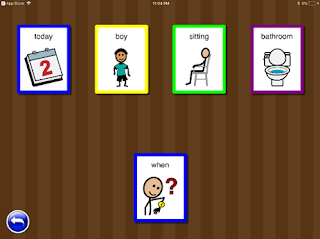
By: Lori Vignealt, EC-SEAT Scholar, and New Hampshire Early Childhood Special Educator While taking the course Using iPads to Support Children with Disabilities at the University of New Hampshire , I researched and reviewed iPad apps for literacy and writing. It was really eye opening to see how many free and inexpensive apps are out there for young children up to any age. I encourage you to see for yourself and check out these apps. I have used “Question It” with some of my preschool students that are working on more advanced language skills! Literacy Apps Question It (free)  Question It is app for children with autism or other significant language impairment. It provides opportunities to teach children what words answer which “wh” questions. The activities include sorting words by which question they answer, answering questions from sentences and questions from paragraphs. The app uses faded color cues and intermittently reinforces with fireworks on the screen.  ...

Three App Reviews to Assist Children's Access to Learning

Image
By: Caitlin Henchey, EC-SEAT Scholar and NH Early Childhood Special Educator Social Stories This app create allows you to access, create, print, and share social stories. The app is free and comes preloaded with stories in categories like problem behaviors, friendship and feelings, and self care. While there are some free stories most you need to purchase. The free stories do come with rules icons and read the story aloud to the student. Also, you can create your own stories by typing in text and uploading pictures from the iPad photos. One of the elements I liked about this app was that you can record your voice (or the child’s) reading the page to turn your created story into a read aloud as well. You can also print these stories and supplements like icons and visual schedules so that they can be used independently from the iPad. Wet to Dry Handwriting This app also helps with the formation of numbers and letters. While you don't have to hold a pen, you do need to iso...

Two Free Apps for Emergent Literacy

Image
By: Chelsea Emery , EC-SEAT Scholar  Technology is great. These are two great application for emergent literacy I found while taking an OT assistive technology class this winter! They are free and easily accessible. In each they describe what the application is for and what areas of learning it supports! Enjoy! Partners in Rhyme It is a free app that is about learning rhymes of words. This is a great tool for emergent learners to have because rhyming supports spelling, reading and phonics. This app has lots of games for practicing rhymes including matching games, memory games, either/or, yes/no, and pictures. If the child doesn't know what the picture is displaying they can click on the picture and it says the word. This way the child is getting visual, auditory, and sensory input. The pictures of this app show the matching and memory game of the rhymes. The app allows for many ways of learning the rhyming subject. They give options of activities to practice the work ...

Three Musical Apps for Inclusive Learning - Emergent Writing and Math Too!

Image
Finger Paint with Sounds  is a simple app inviting young children to “practice their first interactions with a touch screen.” There are small “paint pots” on the edges of the screen. You are asked if you want to paint with sounds, music, or no sound. When the you runs your finger across the screen noises or music plays along with a colorful doodle. There is not much more to it than that. This app is appropriate for young children because it supports cause and effect learning and becomes more appropriate when an adult engages with the child while they explore. Children can practice  Finger Paint with Sounds Screenshot Monster Chorus  is FREE and fun! This game has great cause and effect application for young children. When you open the app a row of colorful little monsters sing a harmonized chorus waiting for little and big fingers to create music. Try it with preschoolers or toddlers. When you press each monster they open their mouths and sing. You can play well-...

Pencil Grip Molded from Instamorph

Image
Written by: Lauren Pasquazzi, Early Childhood Educator and EC-SEAT scholar  This summer I took an Assistive Technology class with Dr. Therese Willkomm. I was able to understand how to work with many different materials to help people with disabilities. In the class, we had to do a project where we create an assistive technology for someone with a disability. I worked with my brother for this project. I created a way for my brother to write without becoming frustrated because the pencil was too small for him to grip. I took Instamorph and was able to form it around the pencil so that my brother felt comfortable. From this project, I learned about working with someone and making sure that the assistive technology is the right fit. Instead of just assuming that this is what my brother wanted, we discussed options together and tried different ways to hold the pencil with the Instamorph . At the end, not only did I feel accomplished, but I think my brother did too because he ...