Posts

Showing posts with the label app selection

Playful Apps for Young Children and Families to Learn and Have Fun Together - Patterns, Music, Puppets, and More!
Image
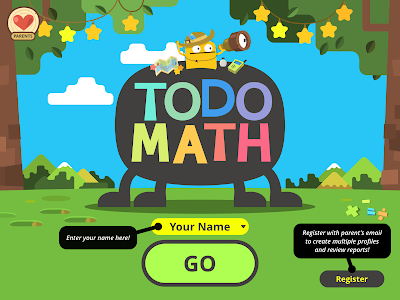
Todo Math: Kindergarten to 2nd Grade Math Games for Daily Practice by Locomotive Labs This app is appropriate for children within the grades noted in the title, but it could be used with children slightly older. The app provides multiple means for practicing many math concepts from numeracy and patterns to time, money and equations. It is great to see the simple interface and the effort put into providing a dyslexic font option. The different "games" are straightforward and appropriate for differing abilities. The apps do not require quick finger action. Children can take their time. There are not any pop-up ads or distractions, it tracks your progress in each area, and it is free. One drawback is it looks as though it is limited to one user tracking, but this may be different on the upgraded paid versions. Body Boggle by: BusyThings liquidated The purpose of this app is to play around with the appearance of the characters. You can change their head and body ...

Two Calming Apps to Help Children and Adults Relax

Image
Fluidity   is an interesting and simple app. It looks like the inside of a lava lamp and offer direct cause and effect simulation when you move your fingers across the screen. You can adjust the colors, light and the momentum of the “fluid.” This app can be relaxing for some children, but be cognizant about your selections. This app has quite a bit of light and movement. Fluidity Screenshot Pocket Pond 2   invites users to take care of the fish in the koi pond. When you swipe your fingers over the pond, the fish scatter, and the water ripples. You can add dragonflies and lily pads as well. Nature sounds are in the background. Try them for yourself and see who in your care could benefit from these relaxing cause and effect apps. Pocket Pond 2 App Icon

Interactive Apps to Support Young Children's Communication and Writing

Image
Bitsboard App   - (review provided by Karly Wilcox, EC-SEAT Scholar and Preschool Special Educator): Bitsboard is an app that you can use for all grade levels and abilities. You can get the "Lite" version for free which comes with a few 'boards' that are pre-made. The best aspect of this app is that you can also customize/create your own boards (ABCs, numerals, colors, animals, emotions, class items, etc...)! After you create your board, you can select from a variety of different games to learn the concept. The amount of applications you can do with this app are truly endless and I suggest checking it out to see for yourself! Bitsboard Screenshot Avaz – Help Kids with Autism Speak   – by: Avaz, inc. - The Avaz AAC app supports individuals needing supports for communication interact and speak with others. The app is set up in intuitive boards, which are customizable. There are four premier voices. They are easy to understand and clear. The boards themselves ...

App Reviews: Math and Early Education

Image
By: Sue Stubbs , EC-SEAT Scholar PBS Kids Measure Up Age Range Is this appropriate/recommended for the ages in my class? PBS Kids Measure Up App is recommended for the age range 3 to 5 years old. Usability Is it easy to use in the classroom? Can it be used independently? Is there an ease of instruction on how to use the app/site? PBS Kids Measure Up App is quick to upload each mini game in the app. It is easy to use and can be used independently with brief overview. It has arrows to notify one where to press. On the iPad it is easy to use the swipe of one’s finger. Graphics Quality Are the graphics appropriate for what is being taught? Do the graphics make sense academically? PBS Kids Measure Up App has 19 unique measuring games with graphics that coincide with measuring activities. The graphics are appropriate for the age range of this app and they are academically appropriate. DAP Does it coincide with the standards? Developmentally Appropriate Practice Does it coincide wit...

Apps for Making Choices and Keeping TIme

Image
Choiceworks   is an interesting looking app by  Bee Visual . Browsing through some reviews of this app, it looks at though for $6.99, you can develop interactive visual schedules for children to use throughout their day. There are three boards called schedule, waiting and feelings. The boards appear to be adaptable and incorporate timers for particular tasks or waiting periods while incorporating choices for young children to make about what they do during the day. The app includes a photo library and the option to customize boards for multiple children. I encourage you to read the reviews and description in the  iTunes app store  before purchasing. Choiceworks App Icon Talking Picture Board   -  When a child has limited language, picture board apps offer similar opportunities to traditional picture boards. The app  Talking Picture Board  has a large variety of photos with the option to add your own. I wanted to have the app say “The cat r...

Interactive Reading Apps for Young Children and Families

Image
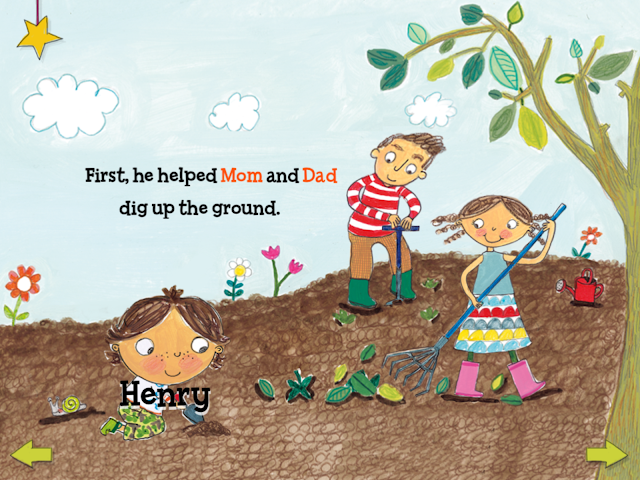
Henry Helps Plant a Garden - A Capstone Interactive eBook This is one of many digitized Capstone Publishing eBooks (there are many available for free and you can get the Cap Reader to store them). The purpose of this story app is to tell the story and steps of how to plant a garden. The pages of the story can be read using autoplay (no interaction), read to me, and then there is an option called talking time. A natural-sounding voice reads the story, each word is highlighted. Keywords stay highlighted, and the child can push them to hear the word again. There are also one hidden item per page to collect and secret interactive elements on each page. The talking time portion revisits the hidden items the child found on each page. Henry says what the item is, and then the child is prompted to talk. Then the child's voice comes out of Henry. This app is based on a paper book. The sequence and social story can support young children's learning about gardening and plant growth. Pe...

Three Vision and Hearing App Reviews

Image
By: Sue Stubbs, EC-SEAT Scholar There have been many new moments for me this year. I am not tech-savvy and often find myself asking young children for assistance. The past year and a half I have had many new experiences with technology especially with the Assistive technology courses at the University of New Hampshire. Although I will not admit to being confident in my technical abilities, I have learned a few things and am gaining confidence as the year progresses. The following are some quick reviews of apps that I briefly explored to help those individuals with varying needs. Vision Impaired App Voice Dream Reader An app that helps with low vision is Voice Dream Reader. This app runs on iOS devices and Android devices including Amazon Fire. The Voice Dream Reader costs $9.99. You need a subscription to Bookshare to download books and magazines from Bookshare directly through Voice Dream Reader. There is a free version app called Voice Dream Reader Lite which one can download...

Case Study: Visual Schedule & Social Stories

Image
By: Katelyn Baron , EC-SEAT Scholar The following case study was done with a child who was receiving services through early intervention and was soon transitioning to their local public preschool. Since the child has a difficult time with all types of transition, the family and I thought that an application for the child to use to get ready before school would be beneficial for the upcoming change. The iPad has been a motivator for the child and therefore the family wanted to use it along with an application to promote independence. Family and Child-Centered Concerns: Recently diagnosed with Autism Delayed communication, fine motor, and cognitive skills Routines challenging and have not been in place for a long period of time Family just moved to a new house Transitions hard in all aspects- daily activities/tasks, playing with toys, leaving the house, etc. Objective: The f amily wants a routine in place for getting ready in the morning before heading off to school.  ...

Language Tool Box - Strategies that Work for ALL Learners

Image
By: Lori Vigeant, EC-SEAT Scholar, New Hampshire Early Childhood Special Educator I teach in an intensive special needs preschool classroom.   My students have a wide range of disabilities and abilities. There are typically developing students integrated into my classroom as well as Dual Language Learners (DLLs) with and without disabilities.   The students range in age from 3-5 years olds.   The materials and strategies that I use for students who are DLLs are also effective tools for all my students.   Also, the strategies and materials that I use with students who have special needs are effective tools for children who are DLLs    Because my students are so young, they are all English language learners and benefit from the teaching strategies and materials that are used in the classroom. Boardmaker – Boardmaker is a software program that I use to make visual supports for my students.   I am able to create schedules, communication boards an...